Data validation automation means building rules into your existing workflows that check invoices, forms, CRM records and reports as they enter your system, so errors get caught before they cause damage. It cuts manual checking hours immediately by automating field rules and routing exceptions to a human only when needed. Payroll automation alone can cut award-calculation errors from around 12% to roughly 2% once rules replace manual review. Pick one high-volume process today and map it. That’s a starting point used in some automation projects.
TL;DR:
- Automation should focus on high-volume processes with costly errors, such as invoice processing, payroll data entry, or CRM updates.
- Effective validation rules include totals checks, reference data lookups, and specific error flags, while exception queues should display clear context for quick review.
- Pilot projects typically last 90 days, starting with one process, refining rules, then expanding based on measurable improvements in error rates and time savings.
- Maintaining automation requires regular rule reviews, owner oversight, and updates to adapt to process or data changes over time.
- RPA and API connectors enable integration with legacy systems, but frequent monitoring is essential due to fragility compared to modern APIs.
Table of Contents
- What is data validation automation and how does it work in your workflows?
- How do you audit your processes and prioritise the right pilot?
- How do you design a validation workflow with exception handling?
- How do you measure ROI and run a 90-day pilot?
- What does a successful validation automation rollout actually look like?
- What are the best practices and common pitfalls?
- How do you scale and maintain automated validation over time?
- How do you handle integration with older or legacy systems?
- Throughline Team perspective: why act on this now
- Book a free automation assessment and see your numbers
- Sources
- FAQ
What is data validation automation and how does it work in your workflows?
Data validation automation is not the same as data-engineering software used to test data pipelines. This article is about something more direct: automated checks built into the everyday business processes your team already runs, catching bad data in invoices, timesheets, CRM records and reports as they happen.
Four technical approaches cover most business use cases. Each suits a different type of document or transaction.
- Inline field validation checks data the moment it’s entered, flagging a missing ABN, an invalid date, or a total that doesn’t add up.
- Totals checks compare line items against invoice totals or timesheet hours against roster hours, catching mismatches before they post.
- Reference-data lookups cross-check a supplier code, tax rate or employee ID against a master list, stopping typos before they multiply.
- OCR and intelligent document processing (IDP) pull data from scanned invoices and forms, hitting 98 to 99% accuracy on well-formatted documents.
- RPA and API connectors move validated data between systems, like your accounting platform and your CRM, without a person retyping anything.
Cloud-based OCR tools send documents offsite for processing, so check where that data is stored and processed. If you handle health records, financial data or anything covered by the Privacy Act, ask any vendor exactly where their servers sit before you sign anything. On-premise or Australian-hosted options exist for organisations that need tighter control.
How do you audit your processes and prioritise the right pilot?
Don’t try to automate everything at once. Pick the process that gives you the fastest, clearest win, then expand from there.
- Map every touchpoint where data gets typed, copied or re-entered across a process, from intake to final record.
- Estimate volumes. How many invoices, forms or records pass through each month?
- Capture error rates and their cost. Talk to the team doing the work. They already know where mistakes happen.
- Check process stability. A process that changes every quarter is a poor automation candidate until it settles down.
- Confirm integration options. Does the target system have an API, or will you need a connector?
Score each candidate process against three factors: volume, impact and stability. High marks across all three signal a strong pilot.
| Factor | Low priority | High priority |
|---|---|---|
| Monthly volume | Under 50 transactions | High transaction volume |
| Cost per error | Low cost to fix | High cost to fix |
| Process stability | Changes monthly | Stable process |
Invoice processing, payroll data entry and CRM field updates typically score well on all three. They’re high-volume, the errors are expensive to unwind, and the underlying process rarely changes. A one-off project intake form, by contrast, might have volume but lacks the repetition that makes automation pay off quickly.
Once an incorrect number enters a system, it creates downstream errors across purchasing, production and fulfilment. This is the real argument for prioritising the process where an error costs the most, not just the one that annoys people the most.
How do you design a validation workflow with exception handling?
A working validation workflow follows a simple pattern: capture, extract, validate, auto-post, exception queue. Data comes in, gets pulled into structured fields, checked against your rules, then either posts automatically or lands in a queue for a person to review.
The rules themselves need to be specific, not vague. Concrete examples that catch real problems:
- Totals-match: line items must sum to the invoice total within a small tolerance.
- Tax rate checks: GST or other tax codes must match the expected rate for that supplier or product category.
- Reference lookups: supplier codes, employee IDs and cost centres must exist in your master list.
- Quantity variance flags: an order quantity that jumps far outside the normal range gets flagged, not auto-approved.
Quantity variance flags and scan-based capture catch a surprising number of high-impact errors without touching your core systems at all. Replacing a free-text field with a dropdown or a scanned barcode removes an entire category of typo.
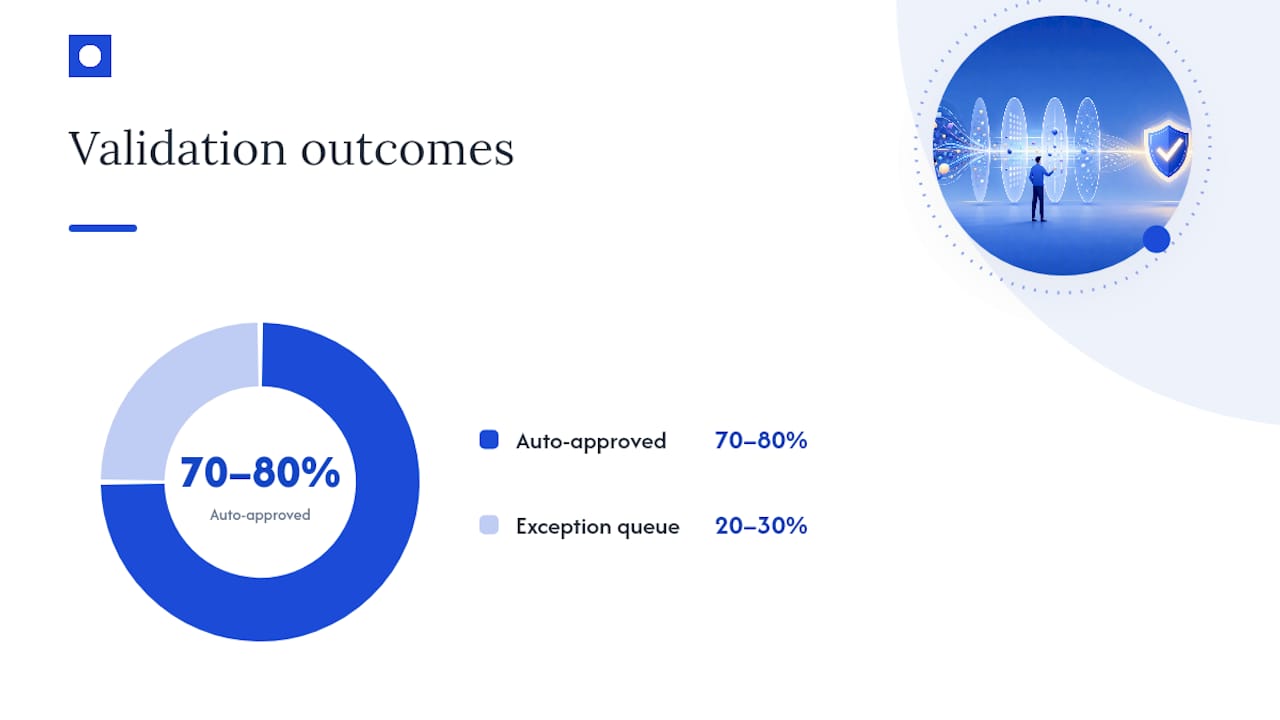
The exception queue is where most automation projects succeed or fail. A good one shows the reviewer the flagged field, the rule it broke, and a suggested fix, not just a raw error code. That context is what makes the review take seconds instead of minutes. Automation that handles 70 to 80% of straightforward cases and routes the rest to a clear queue is a realistic, sustainable target.
Pro Tip: Start your exception queue design by listing the five most common reasons a document currently gets kicked back for manual review. Build rules for those five first. They’ll cover most of your volume.
Build automation at the edges of your systems rather than replacing your core platforms. Connect via API or RPA into the software you already run. It’s faster to deploy and carries far less risk than a system migration.
How do you measure ROI and run a 90-day pilot?
Before you automate anything, capture your baseline. Hours spent per week on manual checks, current error rate, cost per transaction and how long each one takes end to end. Without a baseline, you can’t prove the pilot worked.
After the pilot, measure the same four numbers again. Payroll automation users report roughly 31% fewer errors compared with manual processing, a reasonable benchmark to aim for in a finance or HR pilot.
A 90-day model splits cleanly into three phases:
- Days 1 to 30: Build and launch the pilot on one process, with rules tuned to your real data.
- Days 31 to 60: Refine the rules based on what the exception queue reveals, tightening thresholds and cutting false flags.
- Days 61 to 90: Roll the proven workflow out to adjacent processes or a wider volume.
Running three separate 30-day pilots across different document types before committing further, rather than betting everything on one process, gives you a clearer read on where automation pays off fastest. An ROI calculator helps you model expected savings before you commit budget, using your own volume and hourly cost figures. For most invoice and payroll processes, breakeven shows up once the automation clears roughly two to three months of the manual hours it replaced.
What does a successful validation automation rollout actually look like?
The pattern that works is narrow and deliberate: one process, one clear rule set, a short pilot, then expansion once the numbers hold up.
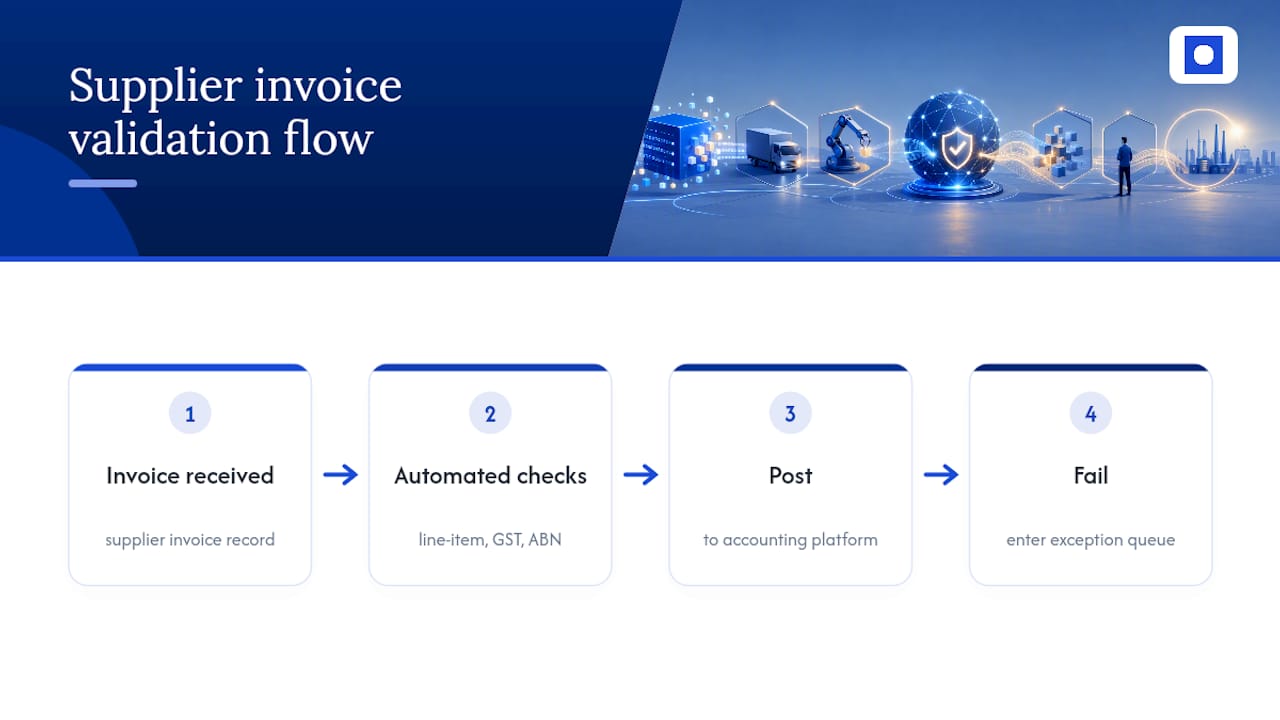
A finance team validating supplier invoices is a common starting point. Rules check that line-item totals match the invoice header, that the GST code matches the supplier’s registered rate, and that the supplier ABN exists in the master vendor list. Anything that fails one of those three checks lands in a queue. Everything else posts straight to the accounting platform.
A payroll team validating timesheet data follows a similar shape. Hours entered against a roster get checked automatically; anything outside a normal range, like a shift logged at 22 hours, gets flagged before it reaches pay run. That single check prevents the kind of overpayment that’s expensive and awkward to claw back later.
A recruitment or HR team validating candidate and employee records checks that mandatory fields are filled, that a start date falls within a sensible range, and that a duplicate record doesn’t already exist under a slightly different spelling of the same name.
None of these examples need a system replacement. They need rules layered on top of the software already in use, with a queue for the exceptions that don’t fit the pattern. That’s the shape every one of Throughline Automation’s 90-day transformations tends to follow, regardless of the industry.
What are the best practices and common pitfalls?
The biggest pitfall is trying to automate a process that isn’t stable yet. If the rules keep changing because the underlying business process is still evolving, your validation logic will be out of date within weeks.
The second pitfall is skipping the baseline. Without a “before” number for hours, errors and cost, you can’t show anyone the pilot worked, and budget for phase two gets harder to justify.
A few best practices consistently separate the pilots that scale from the ones that stall:
- Start with the process that has the highest volume and the highest cost per error, not the one that’s easiest to build.
- Involve the team doing the manual work early. They know the edge cases before you do.
- Keep the exception queue visible to a real person daily. A queue nobody checks defeats the purpose.
- Review rule performance monthly for the first quarter, then quarterly after that.
The final trap is treating automation as “set and forget.” Rules need periodic review as suppliers, tax rates and business processes change. Manual data entry hides real costs in salaries, rework and delayed decisions, and those same hidden costs creep back in if a validation system is left untouched for years.
How do you scale and maintain automated validation over time?
A pilot that works on one process rarely transfers unchanged to the next one. Rules built for supplier invoices won’t map directly onto payroll timesheets, even though the underlying pattern, capture, validate, exception queue, stays the same.
Scaling works best when you treat each new process as its own small pilot, reusing the workflow shape but rebuilding the specific rules. This avoids the common mistake of stretching one rule set across processes it was never designed for, which just creates a new source of false flags.
Maintenance needs an owner. Someone on your team, or your automation partner, should review flagged exceptions monthly and adjust thresholds as volumes and supplier lists change. A quantity variance flag set for a business doing $50,000 a month in orders needs recalibrating once that business doubles.
Build in a light audit trail from day one: every automated decision and every exception should be logged with a timestamp and the rule that triggered it. This matters for two reasons. It gives you a paper trail for compliance and dispute resolution, and it shows you exactly where your rules need tightening over time.
How do you handle integration with older or legacy systems?
Older systems without a modern API are the most common blocker teams raise when scoping validation automation. The good news: most legacy platforms still allow some form of connection, even if it’s not a clean, modern API.
RPA tools can interact with a legacy system’s screen directly, reading and entering data the way a person would, without needing the vendor to build a new integration. It’s a workaround, not a permanent architecture, but it’s often the fastest path to automating a process stuck on an old platform.
Where a legacy system does offer even a basic export or import function, a scheduled file-based connector can move validated data in and out without touching the core system at all. Edge automation via API or RPA is consistently faster and lower-risk than a full system replacement, and it lets you keep the legacy platform running exactly as it is.
The trade-off worth knowing upfront: RPA against an old interface is more fragile than a proper API connection. A vendor update or screen change can break it. Build in a monitoring step so someone gets alerted if the connector stops working, rather than finding out weeks later when a backlog piles up.
Throughline Team perspective: why act on this now
Manual data entry doesn’t just cost hours. It costs your best people, the ones who end up doing the checking instead of the work you hired them for. That’s a retention problem as much as an efficiency one.
We built our 90-day transformation around one belief: measurable results beat big promises. Map one process. Run one pilot. Prove it before you scale it.
— Throughline Team
Book a free automation assessment and see your numbers
There’s no shortage of ways to chip away at manual data entry, from hiring more admin staff to buying a point-solution tool for one document type. Neither fixes the whole problem, and both add cost without removing the underlying manual work.
Some automation providers map your highest-cost manual workflows, build validation rules and exception handling around your existing software, and hand over measurable time and cost savings within 90 days. No system replacement, no lock-in, just automation layered onto what’s already working for you.
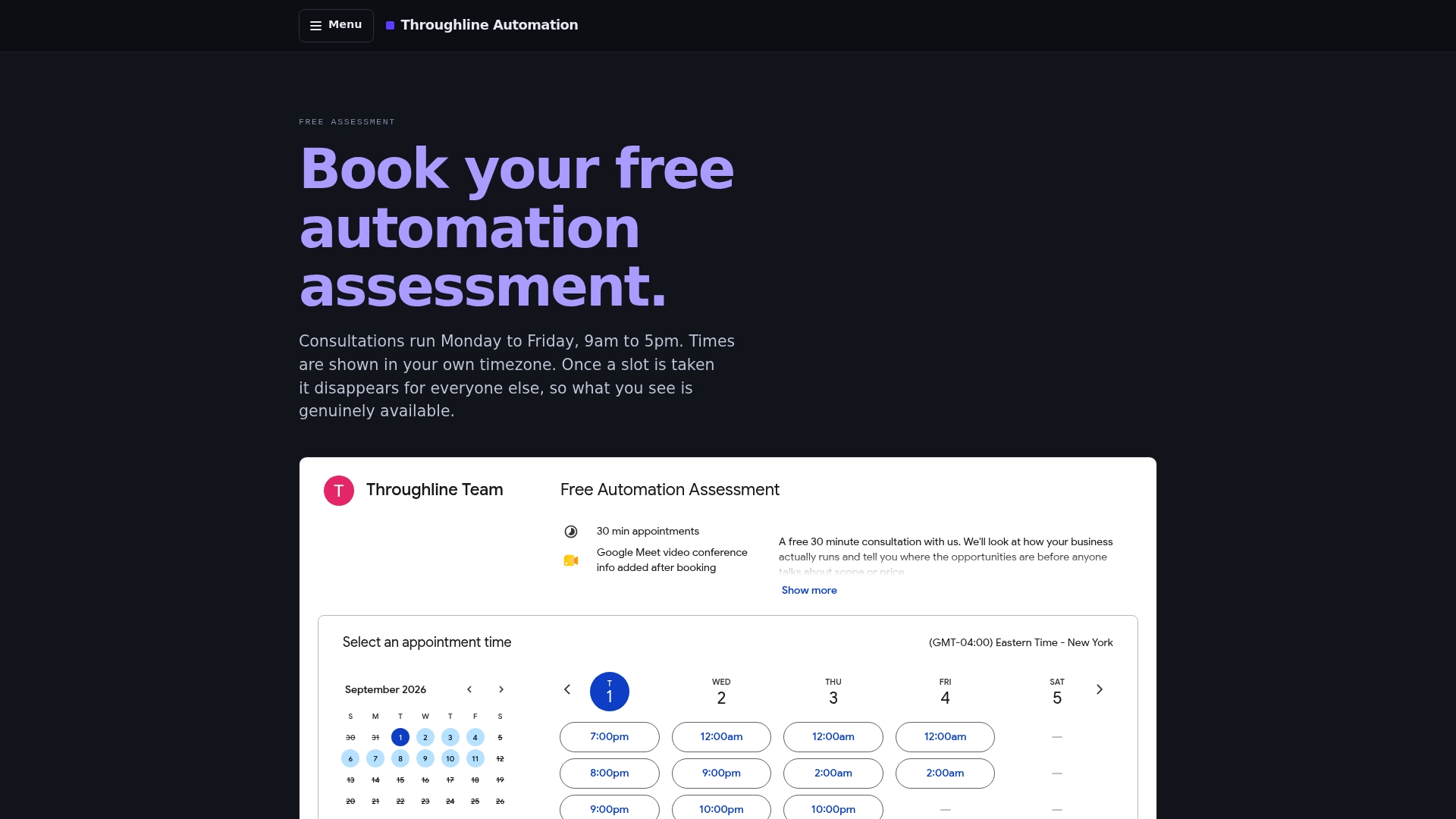
Start with a free 30-minute automation assessment to find your best pilot candidate, or run your own numbers first through the Automation ROI Calculator to see what a validation pilot could save your team. Both take less time than the manual checking you’ll be removing.
Sources
For further reading on the cost of manual entry and how automation addresses it, see how AI is changing payroll accuracy, the operational risks of manual document processing, and a breakdown of how single manual errors cascade through operations. For a broader primer on workflow design, see AI Agent Worx’s workflow automation guide.
- How AI is transforming payroll services — Australian Accountants
- The hidden operational risks of manual data entry and document processing — InfoSeeMedia
- Manual data entry failures: how one error breaks operations — PHX Consultants
FAQ
What is data validation automation?
It’s the use of automated rules, checks and exception queues built into your existing business software to catch bad data in invoices, forms and records as they’re entered, rather than checking manually after the fact.
How long does a data validation automation pilot take?
A typical pilot runs 30 days to build and launch, another 30 to refine the rules, and a final 30 to roll the workflow out further, following a standard 90-day transformation model.
Does data validation automation replace my existing software?
No. Effective automation connects to your existing systems via API or RPA at the edges, rather than replacing core platforms, which keeps risk and cost far lower than a system migration.
What’s a realistic error reduction from automating data validation?
Payroll automation has been shown to cut award-calculation errors from around 12% to roughly 2%, a useful benchmark for finance and HR processes generally.
Which processes should I automate first?
Choose high-volume, high-impact, stable processes like invoice processing, payroll data entry or CRM field updates, since these consistently deliver the fastest measurable return.