Yes, you can automate most high-volume, rules-based data entry, and you can typically recover 60 to 90% of the time your team spends on it. If a staff member spends nine hours a week on manual entry at $40 an hour, that’s roughly $18,000 a year, per person. Most pilots pay that back within six to twelve months. The fastest way to find out where you stand is a free 30-minute automation assessment.
TL;DR:
- Automated data entry can recover between 60 and 90 percent of the time spent on manual processes, often paying back within six to twelve months.
- High-structural documents like invoices can reach up to 95 percent automation accuracy, while semi-structured and unstructured documents require more human review.
- The most suitable automation tools vary: connectors for simple syncs, IDP for document-heavy tasks, and RPA for complex workflows, with costs increasing accordingly.
- Successful automation rollout follows a 90-day piloting and phased scaling approach, focusing on monitoring accuracy, exception rates, and choosing manageable initial processes.
- Security measures should include audit trails, encryption, role-based access, and human review loops to handle sensitive data safely and maintain compliance.
Table of Contents
- How does automated data entry actually work?
- How do you choose what to automate first?
- Which data entry automation tools suit which job?
- What’s a realistic rollout plan and timeline?
- Our approach to a 90-day rollout
- Is automated data entry secure enough for sensitive information?
- What integration problems come up with existing systems?
- How do you maintain and monitor automated data entry over time?
- Perspective: the pitfalls that quietly sink data entry automation
- Book a free 30-minute automation assessment
- Sources
- FAQ
How does automated data entry actually work?
Automated data entry follows four steps: capture, extract, validate, transfer. Once you understand this flow, you can spot where your business is losing hours without knowing it.
Capture is how the document or data enters the system. It might arrive by email, a scanned form, or a manual upload. Extract pulls the useful information out of that document using optical character recognition (OCR) or intelligent document processing (IDP), often backed by machine learning. Validate checks the extracted data against rules and confidence thresholds. If a field looks wrong or confidence is low, it gets flagged. Transfer sends the clean data into your target system, usually through an API or a connector, so nobody has to retype anything.
The building blocks behind this flow include:
- IDP (intelligent document processing) for reading invoices, forms and contracts
- OCR for converting scanned images and PDFs into readable text
- AI/ML models for handling variation in layout and language
- RPA and workflow engines for moving data between systems and triggering next steps
- Connectors and APIs for linking your existing software without a rebuild
Accuracy depends heavily on document type. Structured documents, like standard invoices and purchase orders, reach 85 to 95% automatable rates with current tools, and top systems can hit 95 to 99% accuracy under good conditions. Semi-structured documents, like varied supplier invoices, sit lower. Unstructured documents, like free-text emails, need more human review.
How do you choose what to automate first?
Not every manual task deserves automation straight away. Score each candidate against five criteria before you commit a pilot budget.
- Volume. How many times a week does this task happen?
- Frequency. Is it constant, or a monthly spike?
- Cost per task. How many minutes, multiplied by wage cost?
- Error impact. What does a mistake cost you downstream?
- System access. Does the software have an API or connector, or will you need custom integration?
Strong first pilots usually include accounts payable invoices, CRM lead capture, sales order entry, and payroll data feeds. These are high-volume, repetitive, and usually low in judgement calls.
Pro Tip: Run the numbers before you pick a pilot. Multiply weekly hours on the task by your average hourly wage, then multiply by 48 working weeks. That single number often makes the business case for you.
Parseur’s research puts the average cost of manual data entry at US$28,500 per employee each year, a solid benchmark if you want to sanity check your own estimate. If a task eats 5 hours a week at $45 an hour, that’s $10,800 a year, before you count error correction.
Which data entry automation tools suit which job?
Managers don’t need to become software experts, but they do need to brief IT or procurement correctly. Three broad categories cover almost every use case.
Entry-level connectors and field apps handle simple syncs, like moving a form submission into a spreadsheet or CRM field. They’re cheap and fast to set up but struggle with judgement calls or messy documents.
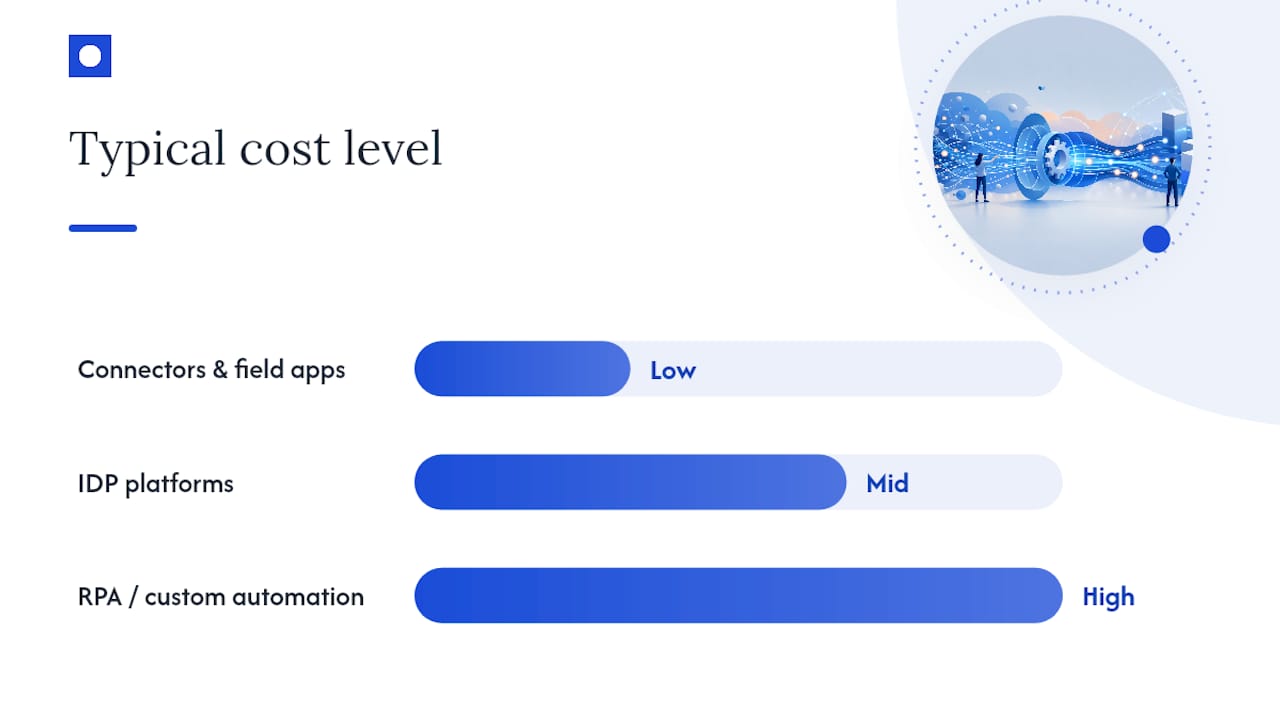
IDP platforms specialise in reading documents, structured and semi-structured, and turning them into clean data. They suit invoice processing, claims forms and application intake.
RPA and custom-built automation handle complex, multi-system workflows, such as pulling data from one platform, checking it against a second, then updating a third. This is where most mid-to-large businesses eventually land once a single connector isn’t enough.
| Tool category | Best for | Typical cost shape |
|---|---|---|
| Connectors and field apps | Simple, single-step syncs | Low licence fee, fast setup |
| IDP platforms | Document-heavy tasks (invoices, forms) | Mid licence fee, plus setup and ongoing validation |
| RPA and custom automation | Multi-system, complex workflows | Higher upfront build, lower running cost over time |
Budget for three cost types: the software licence, the implementation work to configure it against your systems, and ongoing validation as documents or rules change. Skipping that third cost is the most common reason automation projects quietly under-deliver.
What’s a realistic rollout plan and timeline?
Most successful data entry automation projects follow a 90-day pattern, then scale over the following months. Trying to automate everything at once is the fastest way to burn trust in the project.
- Scope (week 1 to 2). Pick one process, based on your prioritisation scoring.
- Map (week 2 to 4). Document the current steps, exceptions, and system touchpoints.
- Build (week 4 to 8). Configure extraction, validation rules and connectors.
- Test in parallel (week 8 to 10). Run the automated process alongside the manual one, comparing results.
- Validate (week 10 to 12). Confirm accuracy and exception rates meet target before switching off the manual process.
- Scale (month 4 onwards). Extend to related tasks or departments.
Industry guides recommend 60 to 90 day pilots followed by a phased rollout over three to six months, which matches this pattern closely.
Track four numbers from day one: average handling time (AHT), first-pass accuracy, straight-through processing (STP) rate, and the size of your exception queue. If STP climbs and the exception queue stays small and manageable, you’re on track.
Pro Tip: Set your confidence threshold conservatively at first. It’s cheaper to have a human check a few extra records early than to let a bad batch slip into your finance system.
Our approach to a 90-day rollout
Throughline Automation runs a defined 90-day transformation for organisations with 50 to 1,000+ staff carrying a growing administrative load. The process maps your highest-cost manual workflows first, then builds and integrates the automation around them.
Rather than replacing existing software, this approach connects to what you already run, so there’s no migration or system rebuild involved. That integration-first approach matters for data entry specifically, because most of the cost sits in moving data between systems you’re already paying for.
If you want to put real numbers on your own situation before committing to anything, start with the Automation ROI Calculator or book the free 30-minute assessment.
Is automated data entry secure enough for sensitive information?
Security is usually the first question finance and HR managers ask, and it’s the right one. Automated systems that touch payroll, health records or financial data need clear rules on who can access what, and when.
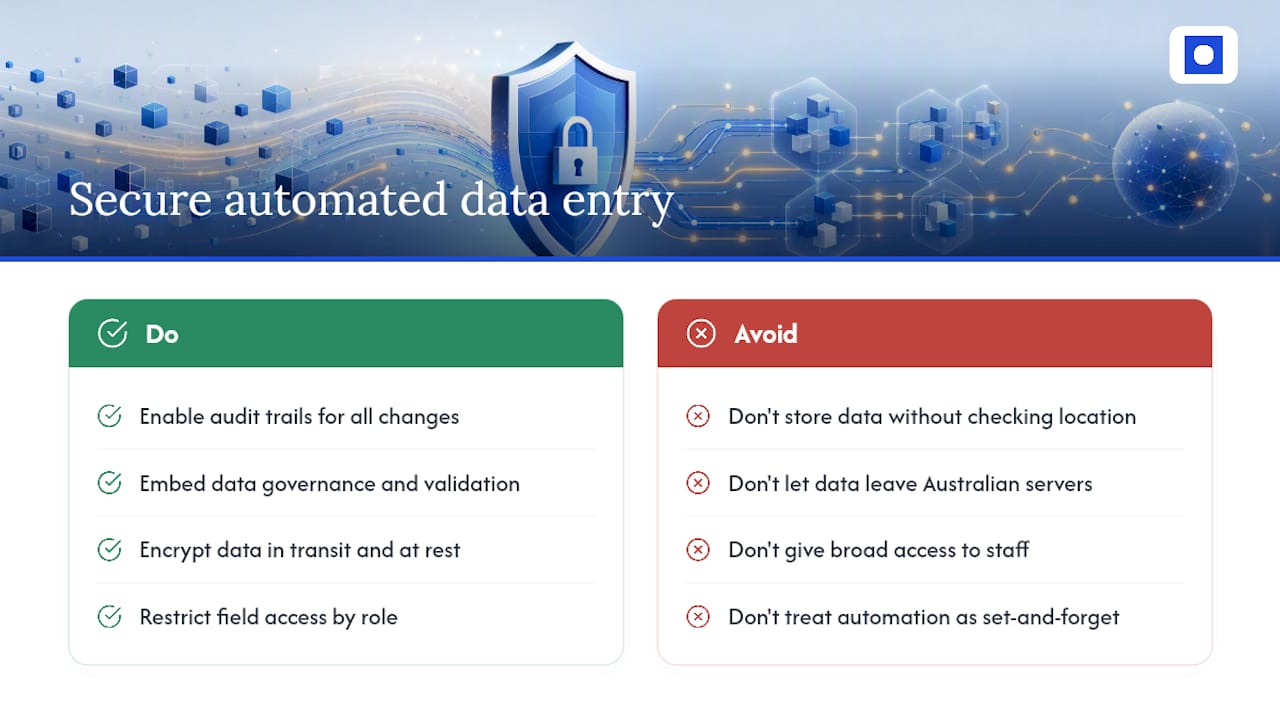
Look for systems with audit trails, so every change to a record is logged and traceable. This matters for compliance as much as for catching mistakes. Industry guidance from Gartner recommends building data governance and validation checks directly into the automation, not adding them as an afterthought.
Encryption in transit and at rest should be standard for any tool handling personal or financial information. Ask your vendor or automation partner where data is stored, how long it’s retained, and whether it leaves Australian servers at any point, particularly relevant for healthcare, aged care and NDIS providers under stricter privacy obligations.
Access controls matter just as much as encryption. Not every staff member needs to see every field. A well-built automation limits visibility to what each role actually requires, the same principle you’d apply to a manual filing system.
Finally, keep a human in the review loop for anything sensitive or high-value. This isn’t a weakness in the system, it’s what makes the audit trail meaningful and gives your compliance team something to check against.
What integration problems come up with existing systems?
Most data entry automation projects don’t fail because the extraction technology is weak. They fail because nobody planned for how the new process talks to old software.
Legacy systems without a modern API are the most common blocker. Some older CRMs, accounting packages or industry-specific software only allow data in through a screen, not a connection. In these cases, you either need a specialised connector or a more involved integration build.
Duplicate or conflicting data is another common snag. If the same customer record exists in three systems with three different spellings, automation will surface that mess faster than your staff ever noticed it manually.
Permission and access mismatches also slow projects down. IT teams sometimes restrict API access for security reasons, which is sensible, but it means automation projects need IT involved from week one, not week eight.
The fix for most of these problems is the same: map your systems and their limitations before you build anything, rather than discovering the gap mid-project. An integrations-first approach that works with your existing stack avoids the biggest integration headaches by design.
How do you maintain and monitor automated data entry over time?
Automated data entry isn’t a set-and-forget project. Documents change format, suppliers update their invoice templates, and rules that made sense in month one can go stale by month six.
Build a simple monitoring routine. Check accuracy weekly for the first month, then monthly once the system stabilises. Watch for a rising exception queue, that’s usually the first sign something upstream has changed.
Review confidence thresholds every quarter. If you’re seeing more false flags than genuine problems, your thresholds might be too conservative. If errors are slipping through, tighten them.
Keep a named owner for the automation, not a committee. Someone needs to be responsible for noticing when a supplier changes their invoice layout or a new data field appears. Without an owner, small issues pile up until the automation quietly stops adding value.
Perspective: the pitfalls that quietly sink data entry automation
The biggest mistake managers make isn’t picking bad software, it’s picking the wrong pilot. A process with too many exceptions or unclear rules will make even a good tool look broken.
Skipping baseline metrics is the second trap. Without knowing your starting AHT and error rate, you can’t prove the win later. Under-resourcing the exception queue is the third, staff assume automation removes all manual work, then get frustrated when flagged cases pile up unattended.
The fix is straightforward: measure your baseline, choose a narrow pilot, run it in parallel with the manual process, and staff the exception queue properly from day one. Hand procurement or IT this one line: baseline first, narrow pilot, parallel run, staffed exceptions.
— Throughline Team
Book a free 30-minute automation assessment
Automation services like these offer an alternative to hiring more admin staff to keep up with manual data entry, without the cost of a full-time hire or a lengthy software migration. Rather than leaving you to configure and maintain everything yourself, such services design and build the automation around the systems you already run.
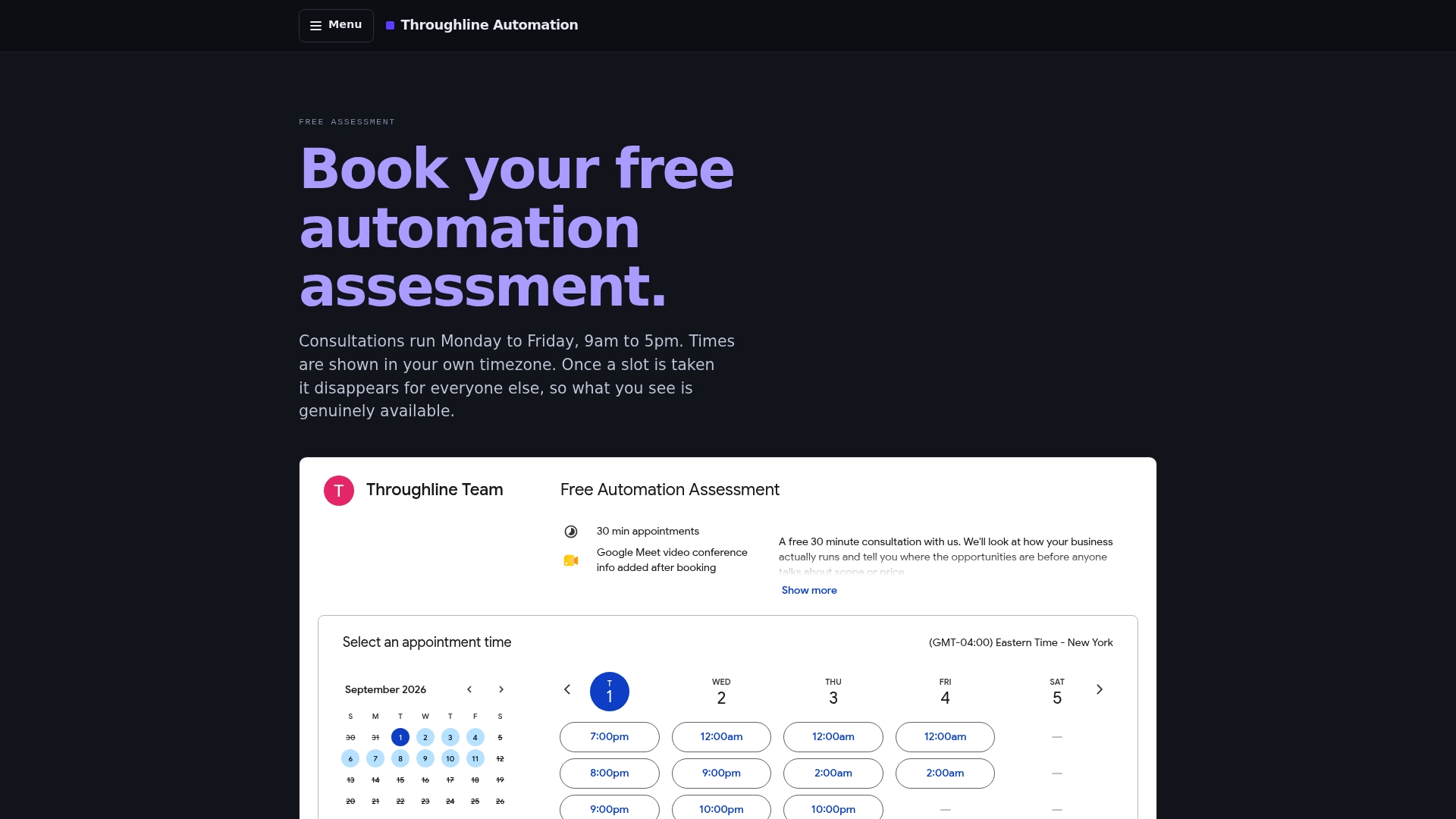
A free 30-minute automation assessment can provide an opportunity map of your highest-cost manual workflows and a rough estimate of hours and dollars you could recover. There’s no obligation attached, and no system migration required to get started.
If you’re an operations, finance, HR or service manager watching admin hours creep up without adding headcount, this is the right time to book. Start with the free assessment, or read more about how the 90-day transformation works before you commit to anything.
Sources
- True Cost of Manual Data Entry 2026 + ROI Guide
- Manual data entry costs U.S. companies $28,500 per employee each year
- AI Data Entry 2026: 99%+ Accuracy, 25-50%
- Data Entry Automation: Tools, Costs & ROI Guide (2026)
FAQ
How can I automate data entry in Excel?
Connector tools and workflow apps can pull data from emails, forms or PDFs straight into Excel or Google Sheets using rules-based extraction. For higher volumes, an IDP tool with a spreadsheet connector reduces manual copying significantly.
Can AI be used to automate data entry?
Yes. AI-powered IDP tools read structured and semi-structured documents and extract fields automatically, reaching 95 to 99% accuracy on structured documents like standard invoices under good conditions.
How do I automate manual data entry without a big IT project?
Start with a single high-volume task, like invoice entry or CRM lead capture, and use a connector or IDP tool that integrates with your existing software. Throughline Automation’s 90-day transformation is built around this exact approach, no system rebuild required.
Will data entry be replaced by AI?
Routine, high-volume, rules-based data entry is largely automatable now, but most deployments keep a human-in-the-loop for exceptions and judgement calls. Staff typically shift from typing data to checking flagged cases, rather than disappearing from the process entirely.
What accuracy can I expect from automated data entry?
Structured documents like invoices reach 85 to 95% automatable rates, while semi-structured and unstructured documents perform lower and need more human review. Accuracy depends heavily on document quality and consistency, so it pays to test with your own real documents before scaling up.