Invoice processing automation replaces manual data entry with software that captures, extracts, checks, and routes invoices for approval automatically. The Australian Taxation Office benchmarks manual PDF invoice processing at AU$27.67 each, against under AU$5 once automated. Processing around 100 invoices a month results in significant annual savings. The next move is simple: count your monthly invoice volume, then book an assessment to see what automation can actually save you.
TL;DR:
- Automating invoice processing can save up to 80% of manual effort, reducing costs from AU$27.67 to under AU$5 per invoice.
- Implementing automation typically achieves a payback period of two to six months, with most savings realized early in the pilot phase.
- Key features to focus on include flexible capture, confidence-scored extraction, automatic duplicate detection, and direct integration with existing accounting systems.
- Starting with a baseline measurement, running a short pilot, and expanding gradually helps ensure a smooth, effective rollout within 90 days.
- Critical KPIs to monitor after go-live include cost per invoice, straight-through processing rate, exception rate, and resolution time.
How does invoice processing automation actually work?
Every automated system follows the same basic pipeline: capture, extract, validate, match, and approve. Understanding each stage matters because it tells you where the effort goes and where things can still go wrong.
Capture comes first. Invoices arrive by email, supplier portal, or increasingly through e-invoicing networks like Peppol. The mistake most businesses make is leaving three or four intake channels open. A single intake point, where every invoice lands in one place regardless of how it arrived, is what makes the rest of the pipeline reliable.
Extraction uses Intelligent Document Processing (IDP), a step up from basic OCR, to read invoice fields: supplier name, ABN, amount, GST, due date, line items. Good systems attach a confidence score to each field. High-confidence data flows straight through. Low-confidence fields, a smudged total or an unfamiliar template, get flagged for a human to check before anything posts.
Validation runs a set of checks most finance teams already do by hand: does the GST math add up, has this bank account changed recently, has this exact invoice been submitted before? This is where duplicate detection earns its keep. The ATO’s own data shows nearly one in three invoices contains an error of some kind, so this step is not optional.
Matching checks the invoice against a purchase order and, in a three-way match, the goods receipt too. Two-way matching (invoice to PO) suits simpler purchases; three-way matching adds a delivery check for higher-value or physical goods. Whatever fails to match cleanly becomes an exception, sent to a short, defined review queue rather than back to square one.
Approval and posting finish the job. The system routes the invoice to the right approver based on amount and category, then posts it straight to your ledger or ERP once approved, no re-typing required.
In order, the pipeline looks like this:
- Capture the invoice from email, portal, or e-invoicing network into one intake point.
- Extract fields using IDP/OCR and score each field’s confidence.
- Validate GST, bank details, and duplicates against existing records.
- Match against purchase orders using two-way or three-way rules.
- Route exceptions to a human review queue with a clear deadline.
- Approve and post automatically to the ledger or ERP.
Roughly one in five invoices in Australia gets sent to the wrong person before it even reaches this pipeline, according to the ATO’s assessment. That is exactly the kind of manual handling automation is built to remove.
What does invoice automation actually save you?
The dollar figures are where this stops being a nice idea and becomes a budget line. The ATO benchmarks manual PDF invoice processing at $27.67 per invoice, and paper invoices even higher at $30.87. Automated processing typically drops that to under $5 per invoice.
The maths on 100 invoices a month: at $27.67 manually, that is $33,204 a year in processing labour. Automated at under $5 per invoice, the annual cost falls below $6,000. That is a saving of more than $27,000 a year, before counting fewer errors or faster payments.
Manual processing typically requires about a quarter of an hour of hands-on work per invoice. Automation reduces this time significantly—by approximately 70 to 80%—primarily by eliminating re-typing and chasing processes rather than skipping necessary checks.
The savings do not stop at labour cost. Manual accounts payable carries hidden costs that rarely show up in a simple hourly rate:
- Duplicate payments slip through when nobody cross-checks invoice numbers by hand.
- Fraud exposure rises when bank detail changes go unverified, a documented risk in manual AP environments.
- Missed early payment discounts happen when approval takes weeks instead of days.
- Cashflow visibility suffers when nobody knows what is actually owed until month end.
Most businesses see payback on an automation project within 2 to 6 months, with smaller operations often paying it back faster because their manual effort is more concentrated per invoice.
What features actually matter when choosing invoice automation software?
Not every invoice automation solution is built the same, and the differences show up fastest in how many invoices need a human to step in. Focus on the features that actually reduce that number, not the ones that look good in a demo.
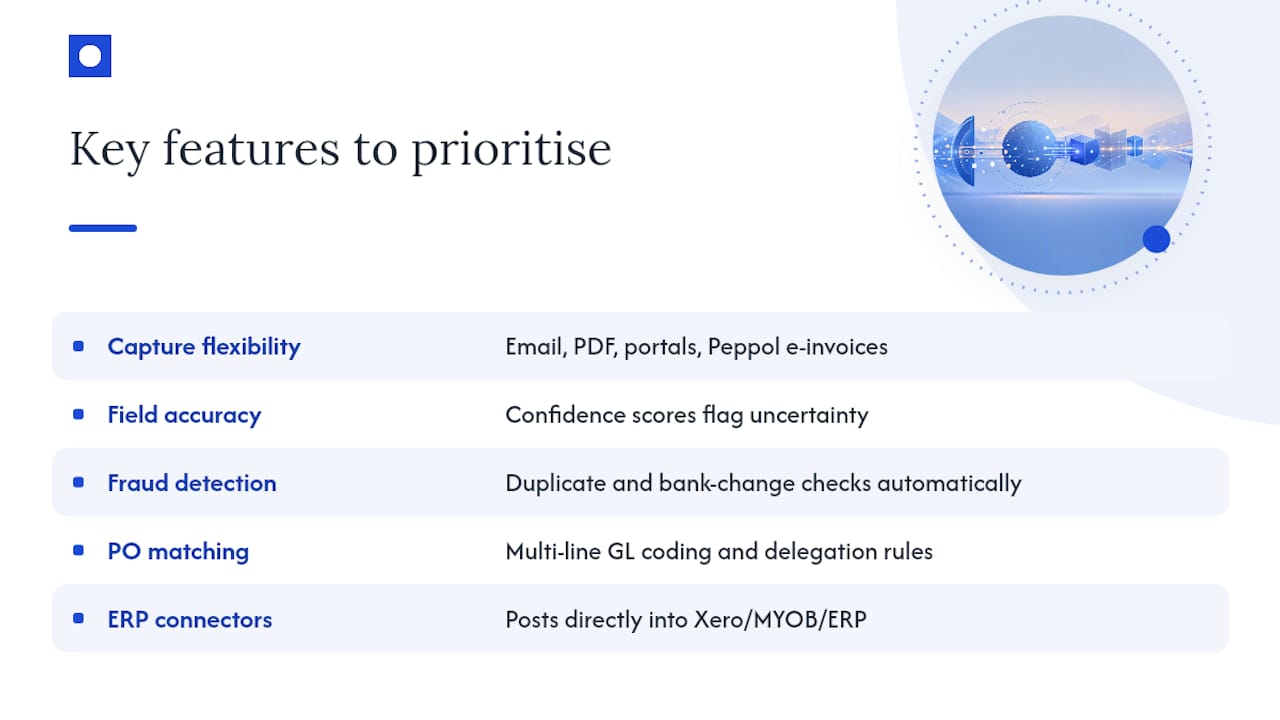
Capture flexibility comes first. Your system should take invoices from email, PDF upload, and supplier portals, and ideally support Peppol e-invoicing so structured data arrives instead of a scanned image needing extraction.
Field accuracy and confidence scoring decide how much oversight you actually need. A system that flags its own uncertainty, rather than guessing silently, keeps humans in the loop exactly where they add value and out of the way everywhere else.
Duplicate and bank-detail change detection catches the two biggest sources of AP fraud and waste. These checks should run automatically on every invoice, not as an occasional audit.
PO matching with multi-line GL coding lets the system code complex invoices correctly and apply delegation rules so the right person approves the right amount.
Direct ledger and ERP connectors matter more than almost anything else on this list. A system that dumps data into a spreadsheet for someone to re-enter has automated almost nothing. Look for integrations that post straight into your existing accounting software, whether that is Xero, MYOB, or a larger ERP, without forcing a system migration.
Pro Tip: Ask any vendor to show you their exception queue, not their happy-path demo. That queue is where you will spend your actual time, and it tells you more about the software than a polished walkthrough ever will.
Auditability rounds out the list: every action, capture, extraction, approval, and edit should leave a timestamped trail you can pull up on demand.
How do you actually implement invoice processing automation?
Rolling out automation works best as a staged process, not a single big switch. Rushing the switch is the single biggest reason projects stall.
Start with your baseline. Before you touch any software, work out your current monthly invoice volume, average hours spent per invoice, and your current exception rate, how often something needs manual chasing. You cannot prove savings later if you never measured the starting point.
Run a narrow pilot. Pick one supplier category or one business unit and process invoices through both the old and new system in parallel for two to four weeks. This is where you catch integration issues before they touch your whole AP function.
Integrate with your ledger or ERP. Automation should sit on top of the accounting system you already use, not replace it. Map your approval thresholds, who signs off what amount, into the system during this step, not after.
Tune extraction and matching rules. Your first few weeks will surface edge cases: an unusual invoice template, a supplier who never uses purchase orders. Set a service level agreement for exception resolution, such as 24 or 48 hours, so a fast, well-managed queue does not turn into a backlog.
Roll out in waves. Add supplier categories or departments in stages rather than all at once, watching your KPIs after each wave before moving to the next.
To keep the rollout on track:
- Measure baseline volume, hours per invoice, and current exception rate.
- Select one pilot group and run it in parallel with existing processes.
- Integrate the system with your ledger or ERP and map approval rules.
- Tune matching and extraction rules against real exceptions.
- Set SLAs for exception resolution before scaling further.
- Expand in waves, checking KPIs at each stage.
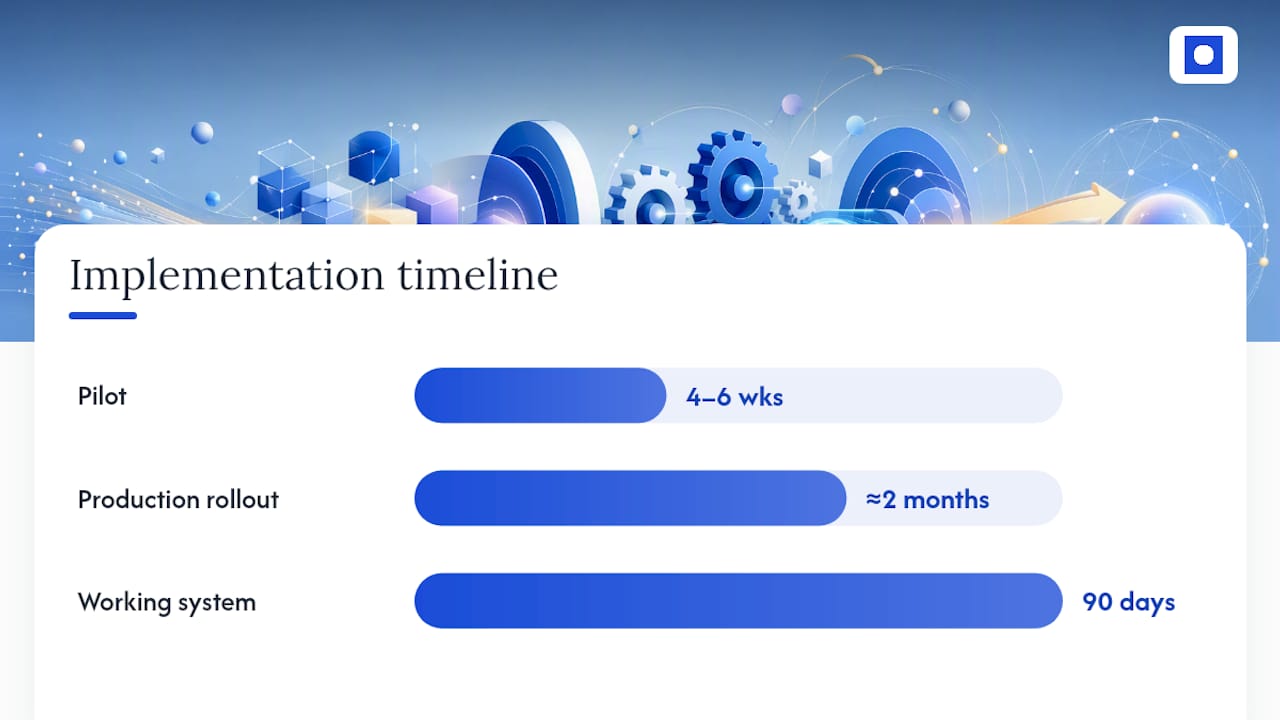
A realistic timeline: a pilot typically runs four to six weeks, with full production rollout following over the next two months. That puts most organisations at a working, tuned system within 90 days of starting.
Because AP automation is high-volume and rule-heavy, it is usually the first finance process businesses choose to automate. It is measurable in a way HR or customer service workflows often are not.
What KPIs should you track after go-live?
Once automation is running, a handful of numbers tell you whether it is actually working or just running quietly in the background without earning its keep.
| Metric | What it measures | Realistic target |
|---|---|---|
| Cost per invoice | Total processing cost divided by invoice count | Under about AU$5, compared to a manual benchmark near AU$27.67 |
| Straight-through rate (STR) | Invoices processed with no human touch | 70 to 85% after tuning |
| Exception rate | Invoices needing manual review | 15 to 30%, falling over time |
| Exception resolution time | Average time to clear a flagged invoice | 24 to 48 hours |
| Approval latency | Time from routing to sign-off | Days, not weeks |
Straight-through processing sits at the centre of this table. Industry data puts a well-tuned system at 70 to 85% STR, meaning the remaining 15 to 30% still needs eyes on it. That is normal, not a failure, provided your exception queue is small and fast rather than large and stagnant.
Cost per invoice is your headline number for the finance team. Benchmark it against the ATO’s $27.67 manual figure so the improvement is obvious in every report. Watch early payment discount capture too: faster approvals mean more suppliers offer terms worth taking, and fewer duplicate payments slipping through unnoticed.
How does Throughline Automation deliver invoice automation?
Throughline Automation builds invoice automation around the accounting system you already run, rather than asking you to replace it. Every engagement follows the same defined 90-day transformation:
- Map the highest-cost manual invoice workflows in your current process.
- Build the capture, extraction, and matching rules specific to your suppliers and approval structure.
- Integrate directly with your existing ledger or ERP through APIs, no migration required.
- Handover with measurable time and cost savings documented against your baseline.
Every engagement starts with a free 30-minute automation assessment, where Throughline Automation reviews your current invoice volume and manual effort to estimate realistic savings before any commitment is made. Typical outcomes track closely with the ATO benchmarks covered earlier: cost per invoice falling from around $27 to under $5, with a working, tuned system inside 90 days.
What are the security and compliance risks with invoice automation?
Invoice data is sensitive: bank details, ABNs, payment amounts, and supplier relationships all sit inside it. Automation needs to handle that data with the same care a careful bookkeeper would, and ideally with a clearer paper trail.
Audit trails should record every step automatically: who approved what, when a field was changed, and which exceptions were escalated and by whom. This matters at tax time and during any dispute with a supplier over payment timing.
Data privacy requires storing and transmitting invoice data securely, particularly bank account details, which are a common fraud target. Any system handling bank detail changes should flag and verify them separately rather than updating records silently.
Regulatory compliance covers GST reporting accuracy and record-keeping obligations under Australian tax law. Automated GST validation, checking that the tax component matches the invoice total, reduces the risk of reporting errors reaching your BAS.
Access controls matter as much as any technical feature. Approval thresholds and delegation rules should be enforced by the system itself, not left to goodwill, so nobody can approve an amount outside their authority by accident or design.
None of this replaces sound internal controls. It reinforces them, provided the system you choose treats compliance as a built-in requirement rather than an afterthought.
Where should finance leads start with invoice automation?
Start with intake, duplicate detection, and approval thresholds. Those three deliver the fastest return because they remove the most manual handling for the least tuning effort.
Publish your actual cost per invoice internally before you start. A number on paper, not a guess, creates the urgency that gets a pilot approved.
Run a short pilot before committing to a full rollout. The biggest wins usually show up in the first few weeks, and they rarely look like what you expected going in.
— Throughline Team
Book your free automation assessment
Most invoice automation projects pay for themselves within 2 to 6 months, with a working pilot typically running inside the first six weeks. That is not a guess. It is what the volume and effort numbers above actually add up to.
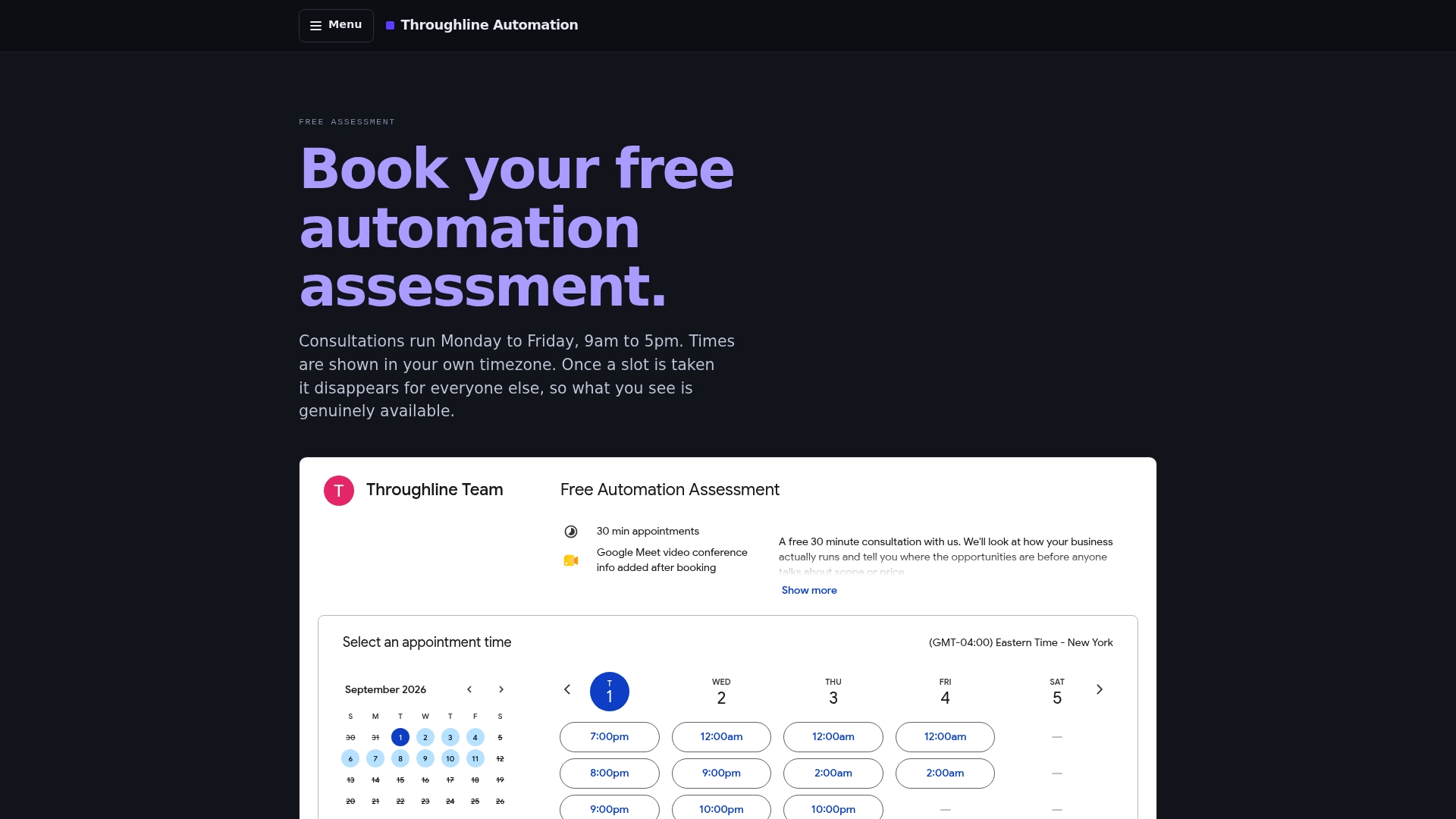
Throughline Automation runs a free 30-minute automation assessment that looks at your actual invoice volume and manual hours, then estimates what automation would save your business specifically. There is no obligation attached, and no software migration required: the 90-day transformation builds on the accounting system you already use, connecting through APIs rather than forcing you onto new platforms. If you want a number before you commit to anything, the automation ROI calculator gives you a rough estimate in minutes using your own invoice volume. From there, booking the assessment is the fastest way to find out exactly where your business stands and what a tuned system could save you.
Sources
- Cost calculations | Australian Taxation Office
- The real cost of manual AP | Pulsify
- The killer costs of manual accounts payable — IT Brief
FAQ
How do I automate invoice processing?
Start by measuring your current invoice volume and hours spent per invoice, then run a narrow pilot with capture, extraction, and approval routing before scaling to your full supplier base.
Can AI be used to automate invoice processing?
Yes. Intelligent Document Processing, a form of AI-based extraction, reads invoice fields and scores its own confidence, routing uncertain fields to a person while high-confidence data flows straight through.
How can I automate my billing process?
Set up a single intake point for incoming invoices, add validation checks for GST and duplicates, then connect the system directly to your ledger or ERP so approved invoices post without re-typing.
Which invoice automation software is the best?
The right choice depends on your existing accounting system and invoice volume rather than any single product. Throughline Automation builds automation around your current software through direct integrations, rather than requiring a system change.