Business process automation services can cut many hours a week of manual admin from a mid-sized team, significantly reducing wages costs annually. The fastest way to find your number is a free 30-minute automation assessment, not a guess. Book one, get a written estimate, then decide.
TL;DR:
- Most automation projects focus on connecting existing software through APIs to streamline tasks like data entry, invoicing, and onboarding without replacing current systems.
- The typical implementation process takes 90 days, divided into discovery, build, and testing phases, with clear milestones and measurable outcomes at the end.
- High-benefit teams include operations, finance, HR, and customer service, especially in industries with heavy admin workloads like healthcare, property, or recruitment.
- Cost factors include process complexity, number of system integrations, and whether AI is involved, with a tailored ROI estimated by multiplying weekly hours saved by staff wages.
- Automation in Australia must adhere to existing compliance rules, such as the Privacy Act, and data security is critical during system build and operation.
Table of Contents
- What do business process automation services actually cover?
- Who benefits most from automating business processes?
- How does a 90-day automation transformation work?
- How do you evaluate a business automation provider?
- What drives cost and how do you estimate ROI?
- What are the compliance rules for automating business processes in Australia?
- What happens to your data when you automate a process?
- What automation tools and platforms are used in Australia?
- Our take on delivering automation that actually sticks
- Book your free automation assessment
- Sources
- FAQ
What do business process automation services actually cover?
Business process automation services connect the software you already use so work moves between systems without a person copying and pasting it. That’s the core idea. Xero defines business process automation as technology handling repetitive, rule-based tasks, cutting errors and freeing up staff time.
Here’s where it differs from a single automated task. A basic script might auto-fill one spreadsheet. Full business process automation (BPA) orchestrates the whole sequence, from the trigger event through every system it touches to the final record update. Tines describes this orchestration layer as the difference between one automated step and an end-to-end workflow.
Common tasks a service provider will automate:
- Manual data entry between systems (CRM, spreadsheets, accounting software)
- Invoice and accounts payable processing
- Approval chains and internal handoffs
- Staff and client onboarding paperwork
- Recurring reports pulled from multiple systems
- Recruitment admin like screening and scheduling
A proper provider builds these connections through APIs and connectors. You keep your existing software. Nothing gets ripped out and replaced.
Who benefits most from automating business processes?
Some teams see faster payback than others. The heaviest paper trails, not the biggest budgets, decide where automation pays off fastest.
- Operations teams drowning in status updates, handoffs and manual reporting.
- Finance teams processing invoices, chasing approvals and reconciling accounts by hand.
- HR and recruitment teams managing onboarding paperwork, reference checks and interview scheduling.
- Customer service teams re-entering the same client details across three or four systems.
By industry, common automation candidates include accounts payable, onboarding and approval chains, regardless of sector. But some industries carry a heavier admin load than others. Healthcare, aged care and NDIS providers deal with compliance paperwork on every client file. Property and construction firms juggle contracts, inspections and supplier invoices. Recruitment and professional services firms run onboarding and screening on repeat.
Want a quick gut check? Multiply the hours per week your team spends on repetitive admin by their loaded wage. If a finance officer spends substantial hours a week on manual invoice entry, that translates to notable annual wage costs saved, before you count errors or delays.
How does a 90-day automation transformation work?
A defined timeline matters more than most business owners realise. Open-ended automation projects drift. A fixed 90-day window forces clear milestones and a measurable result at the end.
- Days 1 to 30, discovery. The provider maps your highest-cost manual workflows and quantifies the hours and dollars each one burns. Viridity’s process automation approach treats this discovery stage as the step that decides whether automation actually fits, not an afterthought.
- Days 30 to 70, build. The team builds the automations and connects them to your existing tools through APIs and connectors. No migration, no swapping platforms.
- Days 70 to 90, test and handover. Automations get tested against real workflows, staff get trained, and you receive a measurable time and cost saving figure to take back to your leadership team.
Standard deliverables by day 90 typically include a working automation live in your systems, a training session for the staff who’ll use it, and a report showing hours saved per week.
Pro Tip: Ask any provider for their process map from a past project before you sign anything. If they can’t show you one, they haven’t done discovery properly.
How do you evaluate a business automation provider?
Not every automation consultant is equal. Some sell software licences dressed up as strategy. Others promise a rebuild you never asked for.
Look for these non-negotiables:
- Integration experience. Ask for examples of connecting to accounting platforms, CRMs or industry-specific software without a migration.
- Security and governance. Ask how they handle access permissions and data during the build.
- Measurable outcomes. Ask what the last project delivered in hours or dollars saved, not just “efficiency”.
- Industry familiarity. A provider who’s automated onboarding for an NDIS provider understands compliance constraints a generalist won’t.
Questions worth asking on the first call: What does your discovery process look like? Can I see a sample process map? What training and support comes after handover? How do you handle change management with staff who are wary of automation?
Red flags: no discovery phase, vague promises to “streamline everything,” pressure to swap your core software, or no clear metric for success. If a provider can’t tell you how they’ll measure the result, walk away.
What drives cost and how do you estimate ROI?
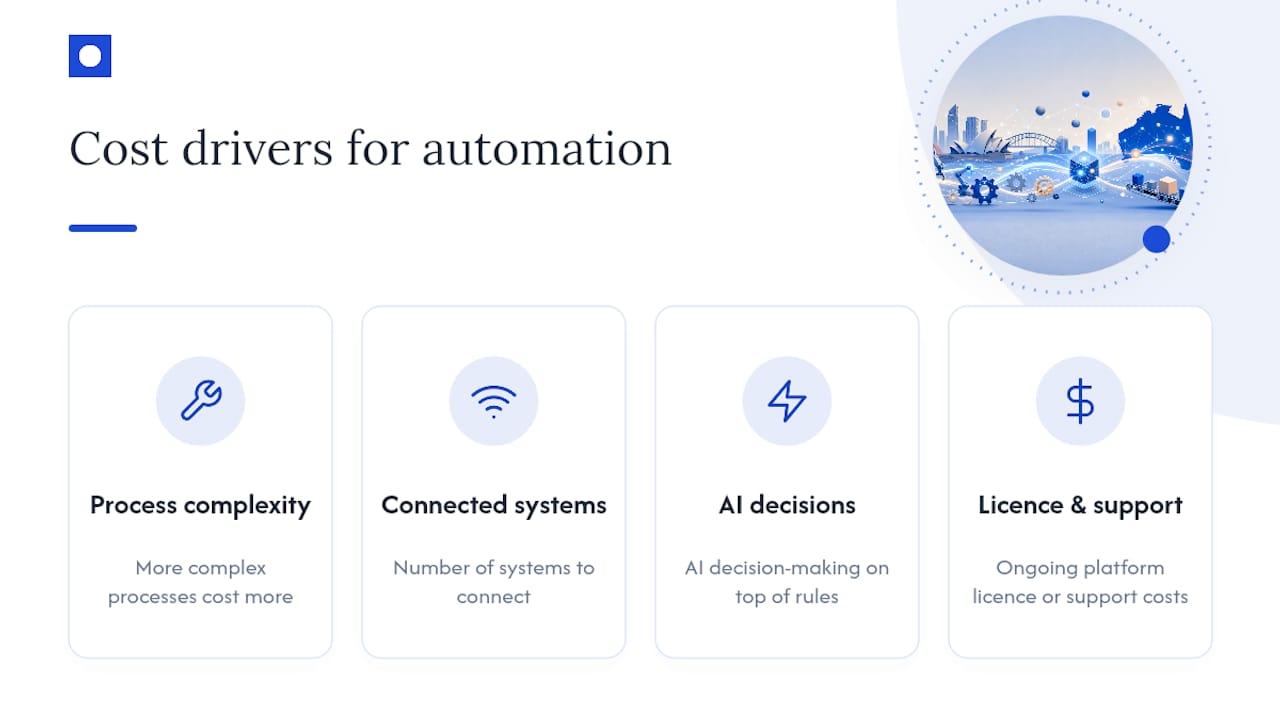
Four things drive the price of a business automation project: how complex the process is, how many systems it needs to connect to, whether it needs AI decision-making on top of simple rules, and ongoing platform licence or support costs.
The ROI formula is simple enough to run yourself:
Hours saved per week × average loaded wage × 52 = annual saving.
Run the numbers on a $70,000 admin coordinator saving 8 hours a week, and you land near $14,000 a year, before counting fewer errors and faster turnaround for clients.
What the industry sees: Xero cites strong productivity gains and high returns from automation projects, with payback windows varying by project complexity and how many manual hours the process was consuming beforehand.
Getting a tailored figure beats guessing. An ROI calculator or a short assessment call gives you a number specific to your business, not an industry average.
What are the compliance rules for automating business processes in Australia?
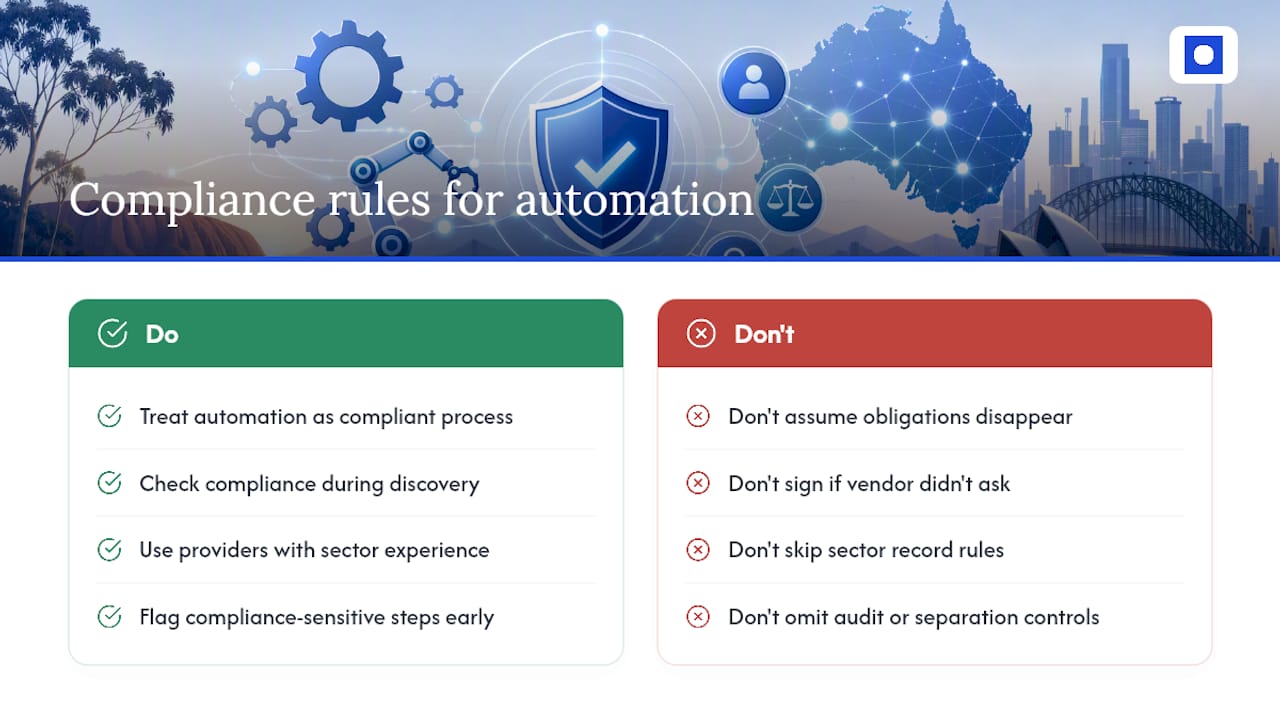
There’s no single law called “the automation act.” Instead, whatever compliance rules already apply to a process still apply once it’s automated.
If you handle personal information, the Privacy Act 1988 and the Australian Privacy Principles still govern how that data is collected, stored and used, automated or not. Healthcare, aged care and NDIS providers carry extra record-keeping and reporting obligations on top of that, and automating a workflow doesn’t remove the underlying duty to meet them.
Financial processes carry their own scrutiny. Automated invoice approvals and payment runs still need to satisfy the same audit trail and separation-of-duties requirements a manual process would face under standard accounting and tax record obligations.
The safest approach: treat automation as a new way of executing an existing compliant process, not a shortcut around it. A provider with real experience in your sector, Viridity’s guidance recommends checking compliance fit during discovery, should flag which parts of a workflow are compliance-sensitive before building anything. If a vendor never asks about your regulatory obligations during discovery, that’s a gap worth raising before you sign.
What happens to your data when you automate a process?
Automation moves data between systems more often, and faster, than a manual process does. That raises the stakes on access control.
Ask any provider exactly which systems the automation will read from and write to, and who can see that data during the build. A well-run project limits access to what’s strictly needed and removes it once the build is handed over.
Encryption in transit, clear data retention rules, and a defined process for who owns the automation once it’s live all matter more than any single tool’s marketing claims. If client or patient data is involved, particularly in healthcare, aged care or NDIS settings, ask how the provider’s build process aligns with the access and storage obligations you already carry under the Privacy Act.
A good provider documents this upfront. A vague answer to “where does our data go during the build” is a reason to ask more questions before signing.
What automation tools and platforms are used in Australia?
Most Australian business automation providers don’t ask you to switch platforms. They connect to what you’re already running.
Accounting and finance software like Xero, MYOB and QuickBooks Online show up constantly as integration points, since most Australian businesses already run their finances through one of them. Vendors routinely list these as standard integrations rather than platforms clients need to migrate to.
On top of accounting software, automation typically connects to CRMs, HR and recruitment systems, document management tools and industry-specific software, whatever runs the process being automated. The platform matters less than the connector. An API or custom integration linking your invoicing software to your accounting system does the actual work, whichever brand names sit on either end.
This is worth remembering when a provider pitches you: the strongest automation partners talk about your existing stack first, not the platform they want to sell you.
Our take on delivering automation that actually sticks
Most automation advice online focuses on picking the right software. That’s the wrong starting point.
The businesses that get real value skip the platform debate and start with discovery: what’s actually costing hours, and what’s genuinely worth automating first. Throughline Automation builds around your existing software rather than forcing a migration, and runs every engagement through a defined 90-day transformation, starting with a free 30-minute automation assessment. Our typical clients, operations, finance and HR leaders at mid-sized organisations, don’t want to add headcount to solve an admin problem. They want the hours back.
— Throughline Team
Book your free automation assessment
You’ve seen the numbers. Ten hours a week of manual admin adds up fast, and most businesses are carrying more of it than they realise.
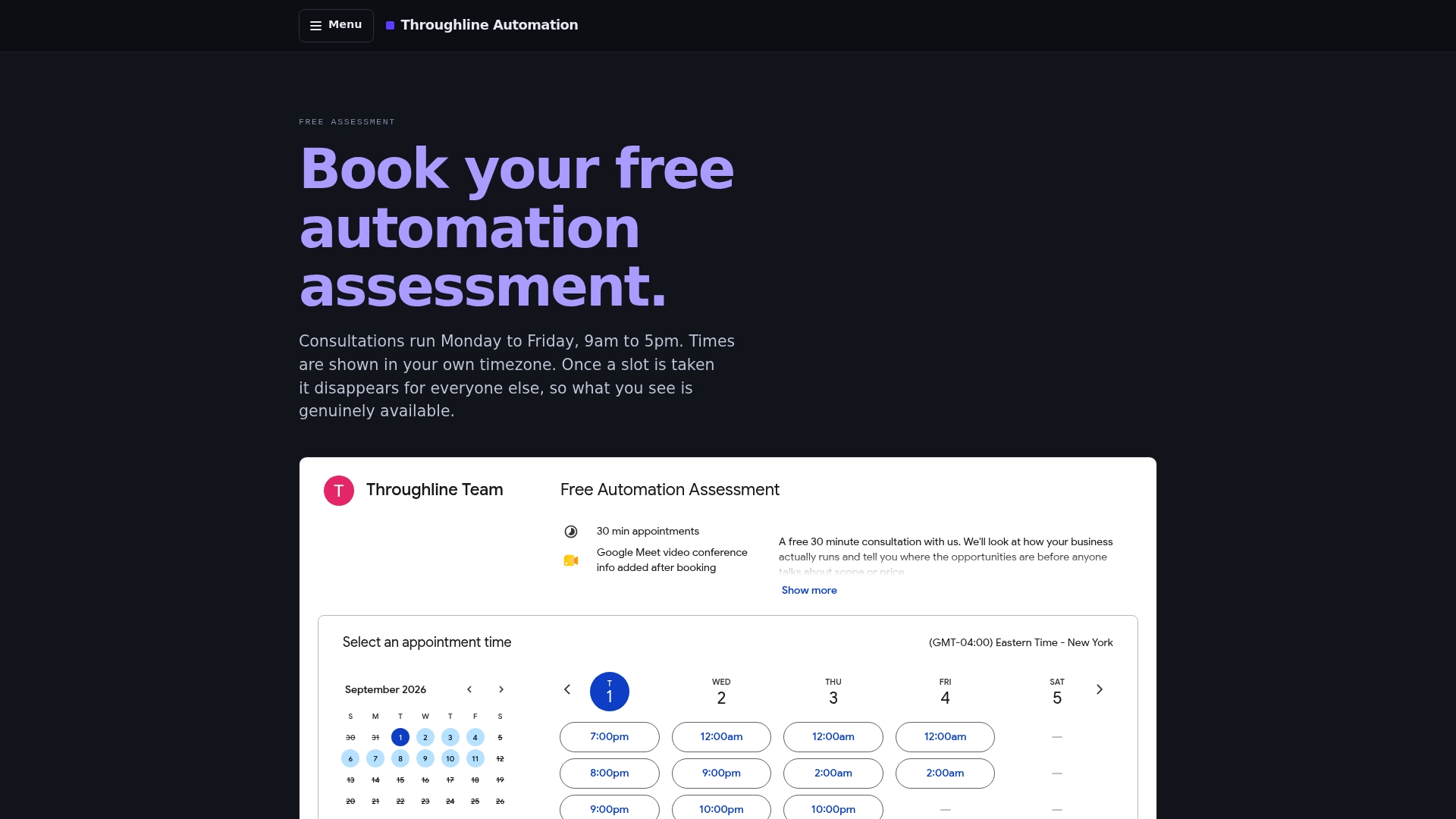
Throughline Automation runs a free 30-minute automation assessment to map your highest-cost manual workflows and provide a real estimate based on your business. There’s no obligation and no pitch for new software. From there, work moves into our 90-day transformation process: discovery, build, and handover, integrated with the systems you already run, whether that’s your accounting platform, your CRM, or your recruitment software. You’ll finish with a working automation and a measured figure for hours and dollars saved. Book your assessment and find out what your admin load is actually costing you.
Sources
- What is business process automation? Benefits and costs | Xero AU
- What is business process automation? A practical guide
- Business Process Automation | Workflow Efficiency | Viridity
FAQ
What are business process automation services?
They’re consulting and implementation services that connect your existing software to automate repetitive tasks like data entry, invoicing, onboarding and reporting, without replacing your core systems.
How long does business automation implementation take?
Most projects run on a defined 90-day timeline: about 30 days for discovery, followed by the build phase, then testing and handover.
How much do business process automation services cost in Australia?
Cost depends on process complexity, the number of systems being connected, and whether AI decision-making is involved. A free assessment gives you a tailored estimate rather than a rough average.
Will automation replace our existing software?
No. Reputable providers, including Throughline Automation, integrate with the software you already use through APIs and connectors instead of forcing a migration.
How do I calculate ROI on automating a process?
Multiply the hours saved per week by the average loaded wage of the staff doing that task, then multiply by 52 weeks, for a rough annual saving figure.