Four automations cut aged care and NDIS provider admin faster than anything else: linking rostering to pay and claims, automating PRODA-based worker onboarding, running claim pre-checks before submission, and generating service agreements automatically. Start with a short discovery review, then move into a 90-day build.
TL;DR:
- Automating rostering to payroll and claim pre-checks can significantly reduce rejection rates and accelerate payments, especially in high-volume weekly workflows.
- Starting with automations that handle the most repetitive tasks, such as rostering, onboarding, and claim validation, maximizes hours saved and reduces compliance risks.
- Properly designed automation must follow specific rules and include controls like immutable logs, human approval, and validation to avoid audit and regulatory issues.
- A 90-day implementation plan can deliver measurable outcomes, including hours saved, fewer errors, and streamlined onboarding, by focusing on system integration and small-scale testing.
- Integrating automation into existing systems without replacing core management tools minimizes disruption, ensures compliance, and accelerates realization of operational efficiencies.
Table of Contents
- What is aged care and NDIS provider admin automation in Australia?
- Which automations should you build first?
- How do you automate without raising compliance risk?
- What does a 90-day automation rollout look like?
- Why an integration-first, partner-led rollout works better
- How Throughline Automation Delivers Your 90-Day Build
- Sources
- FAQ
What is aged care and NDIS provider admin automation in Australia?
Admin automation means using software and rules-based tools to handle repetitive back-office tasks, so staff don’t retype the same data three times across three systems. For aged care and NDIS providers, that covers rostering, payroll, claims, onboarding, service agreements, and incident reports.
Direct administrative costs for many NDIS providers sit at 15 to 25% of total costs, according to NDIA financial benchmarking. On a $3 million provider budget, that is $450,000 to $750,000 a year going into admin, not care.
Where does that time actually go? A handful of tasks eat most of it:
- Onboarding and PRODA setup. New support workers need PRODA access, worker screening checks, and system logins before they can bill a single hour.
- Rostering corrections. Shift swaps, sick leave, and last-minute changes mean rosters get edited manually, then re-keyed into payroll.
- Claims rework. Rejected NDIS claims get sent back, corrected by hand, and resubmitted, often days later.
- Service agreements. Each new participant needs an agreement drafted, checked, signed, and filed.
- Incident reporting. Reportable incidents need forms, timelines, and evidence pulled together for the NDIS Commission.
- Contract administration. Agreements between associated providers are often unfunded work nobody has time for, yet they still need version control and reminders.
Research into NDIS provider costs shows administrative costs per client have risen as regulatory and compliance expenses grow. Sector reporting backs this up: providers regularly name managing service delivery cost and shifting guidance as their biggest operational headache.
Admin cost snapshot: if your provider spends 15 to 25% of total costs on admin, a $4 million operation is losing $600,000 to $1,000,000 a year to manual work, much of it duplicate data entry.
Duplicate entry is the real enemy here. When roster data gets typed into payroll, then again into a claims portal, then again into a compliance spreadsheet, every extra step is a chance to introduce an error. Errors mean rejected claims, underpaid staff, or gaps in an audit trail that a regulator will ask about later. Aged care providers face a parallel problem through the My Aged Care gateway, where the Integrated Assessment Tool creates its own administrative pressure on intake and assessment staff.
Which automations should you build first?
Not every admin task deserves the same priority. Some automations save hours immediately; others take longer to build but fix deeper compliance risks. Here’s a ranked starting list.
- Rostering to pay to claims. Connect your rostering system to payroll and NDIS claiming so a confirmed shift flows straight through, without anyone retyping hours. This is usually the single biggest win because it touches every shift, every week.
- PRODA and worker onboarding. Automate the paperwork trail around PRODA registration, worker screening, and system access, so a new starter can bill from day one instead of week three.
- Claim pre-checks. Build a rules check that scans a claim against NDIS plan budgets and line items before submission, catching the errors that cause rejections.
- Service agreement generation and e-sign. Use templates that pull participant details automatically and route straight to e-signature, cutting a multi-day process to under an hour.
- Incident report bundling. Automatically gather the timeline, notes, and evidence a reportable incident needs, ready for review against NDIS Practice Standards.
- Invoice and accounts payable automation. Match supplier invoices against purchase orders and route for approval automatically, instead of a finance officer chasing paper.
Each of these connects to systems you already run. That’s the point: a rostering connector pulls confirmed shifts into your existing payroll and claims software. A claim pre-check sits in front of your current NDIS claiming portal. None of this asks you to rip out your practice management system and start again.
Providers are already applying this kind of automation to generate service agreements, flag issues in clinical notes, and streamline onboarding, according to sector commentary on recent reforms.
The outcomes differ by project. Rostering to pay to claims typically saves the most hours per week because it removes an entire manual re-entry step. Claims pre-checks cut rejection rates, meaning fewer resubmissions and faster payment. PRODA onboarding automation shortens the time between hiring and billing. Service agreement automation turns a multi-day back-and-forth into same-day turnaround.
Pro Tip: Start with the workflow that has the most repetitions per week, not the one that feels most broken. A rostering fix touching 200 shifts a week beats a service agreement fix touching 5 new participants a month, even if the agreement process feels more painful.
Integration works through connectors and APIs into the systems you already run, plus rules and templates that encode your existing process. A partner approach to technology integration between claims systems and other tools follows the same logic, connecting rather than replacing.
How do you automate without raising compliance risk?
Automation done badly creates new audit problems. Automation done well makes your audit pack easier to produce, not harder.
Four sets of rules govern how far you can automate, and how:
- NDIS Practice Standards. The NDIS Quality and Safeguards Commission sets expectations for record-keeping and incident reporting that any automated workflow must still satisfy.
- NDIS Commission audits. Auditors want a clear evidence trail, not just a tidy dashboard.
- Aged Care Quality Standards. Aged care providers face parallel record-keeping expectations under their own quality framework.
- SCHADS award and PRODA. Payroll and rostering automation has to respect SCHADS award rules around penalty rates, allowances and rostering, while worker onboarding must run through PRODA correctly.
Three controls keep automated workflows defensible when a regulator comes asking.
First, keep immutable logs of every automated action: what changed, when, and why. Second, use human-in-the-loop approval for anything critical, like a large claim or an incident report, so a person signs off before it submits. Third, run pre-submission validation on claims and rosters to catch errors before they become compliance failures rather than after.
This last point matters more than it sounds. A claim rejected for a preventable error, sometimes referred to informally as an SC-007 style rejection, costs you the resubmission time and delays payment. A pre-check that catches the same error before submission removes both problems in one step. Providers who standardise their forms and data capture first find automation far easier to build and defend at audit time, because the inputs are consistent.
What does a 90-day automation rollout look like?
A time-boxed plan stops automation projects drifting for a year with nothing to show. Here’s a realistic 90-day structure.
- Discovery (weeks 1 to 2). Map your highest-cost manual workflows and build a simple ROI estimate: hours spent per week, multiplied by hourly cost, against typical automation timeframes.
- Build MVP automations (weeks 1 to 4). Start with the rostering-to-payroll conduit, claim pre-checks, and PRODA onboarding flow, the three with the fastest measurable payback.
- Integration and shadow testing (weeks 5 to 8). Connect the automations to live systems and run them alongside existing manual processes on real data, so you catch issues before switching over fully.
- Training, handover and scale plan (weeks 9 to 12). Train staff, hand over governance so your team owns the process, set a KPI baseline, and plan which workflow to automate next.
Five numbers tell you whether the rollout worked:
| Measure | What to track |
|---|---|
| Hours saved per week | Compare manual hours before and after for each automated workflow |
| Claim rejection rate | Percentage of claims returned for correction, before vs after pre-checks |
| Days to payment | Time from service delivery to funds landing, before vs after |
| Audit findings | Number of gaps or corrections raised at your next compliance review |
| Onboarding time | Days between hire date and first billable shift |
This kind of structured build is what a 90-day transformation is designed to deliver: a working, integrated automation with proven savings, not a pilot that stalls after the demo. Many automation projects fail not because the technology is wrong, but because organisations try to automate an inconsistent manual process. Standardise first, prove the automation on a small scale, then scale it once the numbers hold up.
Why an integration-first, partner-led rollout works better
Bolting automation onto systems you already run, rather than replacing them, cuts risk and speeds up results. Your team keeps working in familiar tools while the manual steps between them disappear.
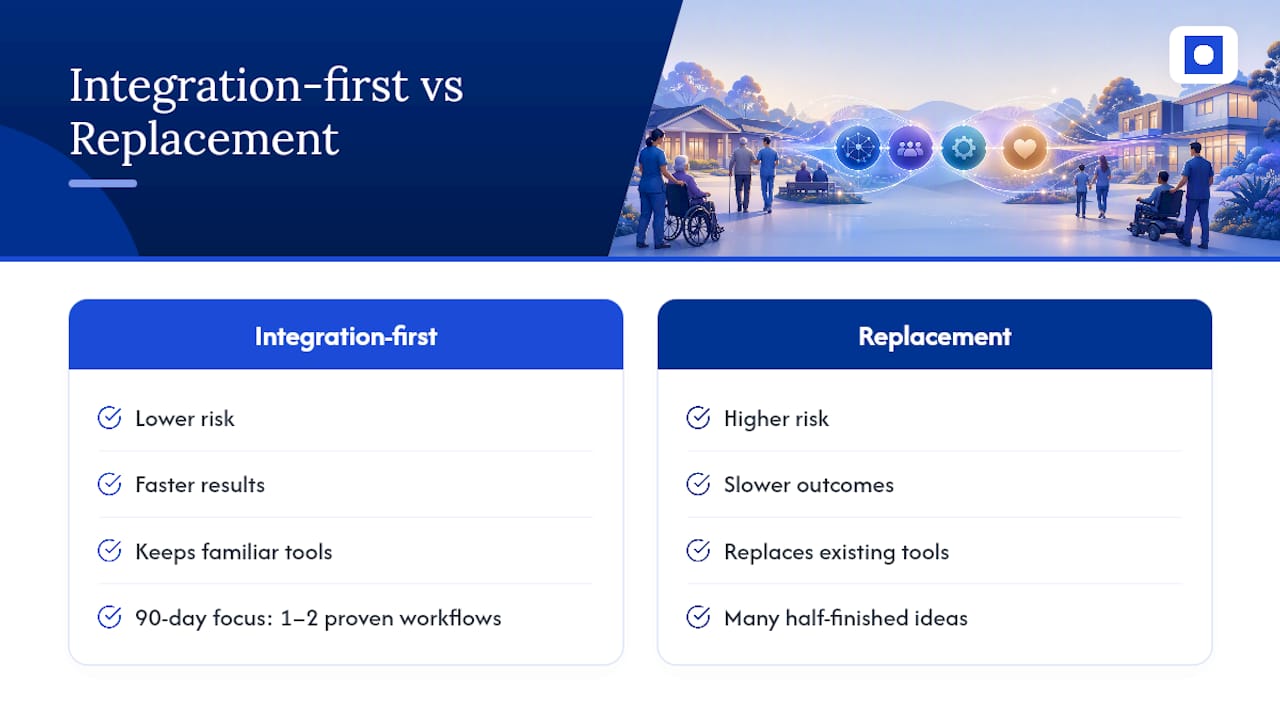
A 90-day build forces focus: one or two workflows proven and measured, not a dozen half-finished ideas. Success at day 90 looks like a validated hours-saved number, a lower rejection rate, and a clear plan for what to automate next.
If you manage a provider carrying this admin load, a free 30-minute automation assessment is the fastest way to find out where your first win sits.
— Throughline Team
How Throughline Automation Delivers Your 90-Day Build
Automation offers a practical alternative to adding more admin headcount. Instead of replacing your rostering, payroll, or practice management software, automation can run on top of what you already use, connecting the systems so data flows through once instead of being retyped three times.
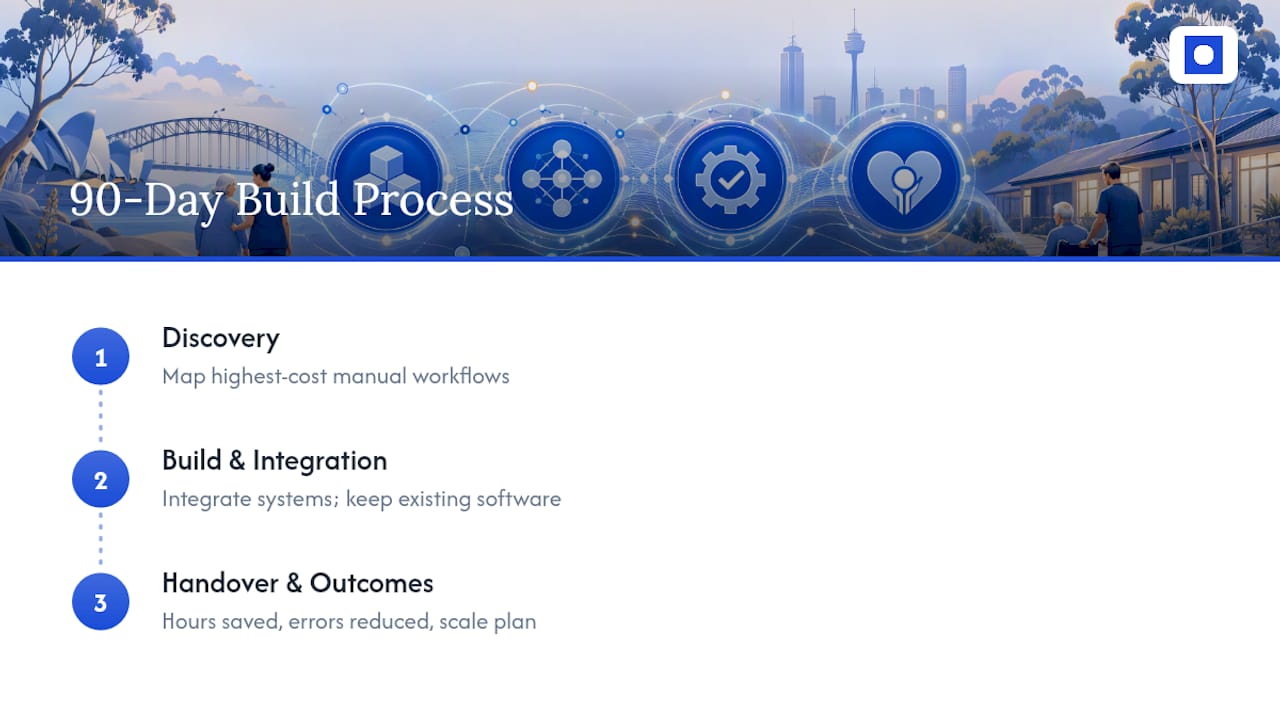
That integration-first approach matters for aged care and NDIS providers specifically, because your compliance evidence, worker screening records, and claims history all live in systems you can’t afford to disrupt. Throughline’s 90-day transformation starts with a short discovery phase mapping your highest-cost manual workflows, moves into build and integration, and finishes with a measurable handover: hours saved, errors reduced, and a scale plan for the next workflow. The healthcare automation work Throughline delivers follows the same pattern used across rostering, claims, and onboarding.
Book a free 30-minute automation assessment and find out which of your admin workflows is costing you the most hours this month.
Sources
For ongoing reference, these are the primary sources behind the figures and standards in this article: the NDIA financial benchmarking material for cost benchmarking, the NDIS Commission’s Practice Standards for record-keeping obligations, the Fair Work SCHADS award summary for payroll rules, and Community Care Review’s coverage of provider compliance burden for sector sentiment.
- NDIA financial benchmarking / provider cost material
- Community Care Review: provider challenges and compliance burden (2026)
- UWA working paper on NDIS provider costs
- NDIS Commission — NDIS Practice Standards
- Fair Work summary — SCHADS award
FAQ
Who are the top aged care providers in Australia?
There’s no single official ranking of “top” aged care providers. What matters for admin automation is provider size and complexity, since larger providers typically carry heavier rostering, claims, and compliance loads that benefit most from automation.
What is the best NDIS software?
There’s no single best NDIS software, because the right choice depends on your existing systems and workflows. Rather than replacing your practice management or rostering software, automation that integrates with what you already run, like the approach Throughline Automation delivers, often solves more of the admin burden than switching platforms.
Can you access NDIS and My Aged Care at the same time?
Generally, a person cannot receive the same type of support funded under both the NDIS and My Aged Care at once, though eligibility rules depend on age and circumstances. Providers supporting participants across both systems face extra administrative complexity managing separate intake, assessment, and claiming processes.
What types of technology are used in aged care?
Aged care providers commonly use rostering software, payroll systems, care management platforms, and increasingly automation tools that connect these systems together. Sector commentary points to growing use of automation for service agreement generation, onboarding, and flagging issues in clinical notes as providers manage rising compliance demands.
How much does admin cost an NDIS provider each year?
Direct administrative costs commonly represent 15 to 25% of total costs for many NDIS providers, according to NDIA benchmarking. On a $3 million budget, that is $450,000 to $750,000 a year, much of it spent on manual data entry and claims rework.